Most teams start reporting as a way to stay in compliance: making sure your financial statements are correct, passing audits, paying your taxes, etc.
But when you run a SaaS business, reports help you make decisions. It's how you spot churn early, explain changes in revenue, predict runway, and go into a board meeting with numbers that everyone believes.
SaaS and subscription companies needing standardized ARR and financial reporting
Unifies CRM, billing, and accounting into one SaaS reporting layer
150+ prebuilt SaaS metrics with standardized ARR and retention logic
Automated ARR, retention, and board-ready dashboards
AI Analyst, anomaly detection, and scenario insights
Available through demo
4.6
Databox
Startups and small teams needing quick KPI dashboards
Custom KPI dashboards across multiple data sources
Scheduled and automated report delivery
Fast setup for executive visibility
Free to Custom Pricing
4.5
Runway
Mid-market SaaS teams focused on planning and forecasting
Forecast vs actual financial visualization
Scenario modeling for revenue and runway planning
Flexible financial planning dashboards
Available through demo
4.8
Maxio
Subscription finance teams needing billing-aligned reporting
Subscription billing and revenue recognition workflows
ARR, MRR, churn, and expansion reporting tied to billing activity
Alignment between financial statements and subscription data
$599/month to Custom Pricing
4.4
What are financial reporting tools?
Financial reporting software pulls data from your accounting system and operational tools, like CRM and billing and turns it into:
Standard financial statements: Income statement, balance sheet, cash flow
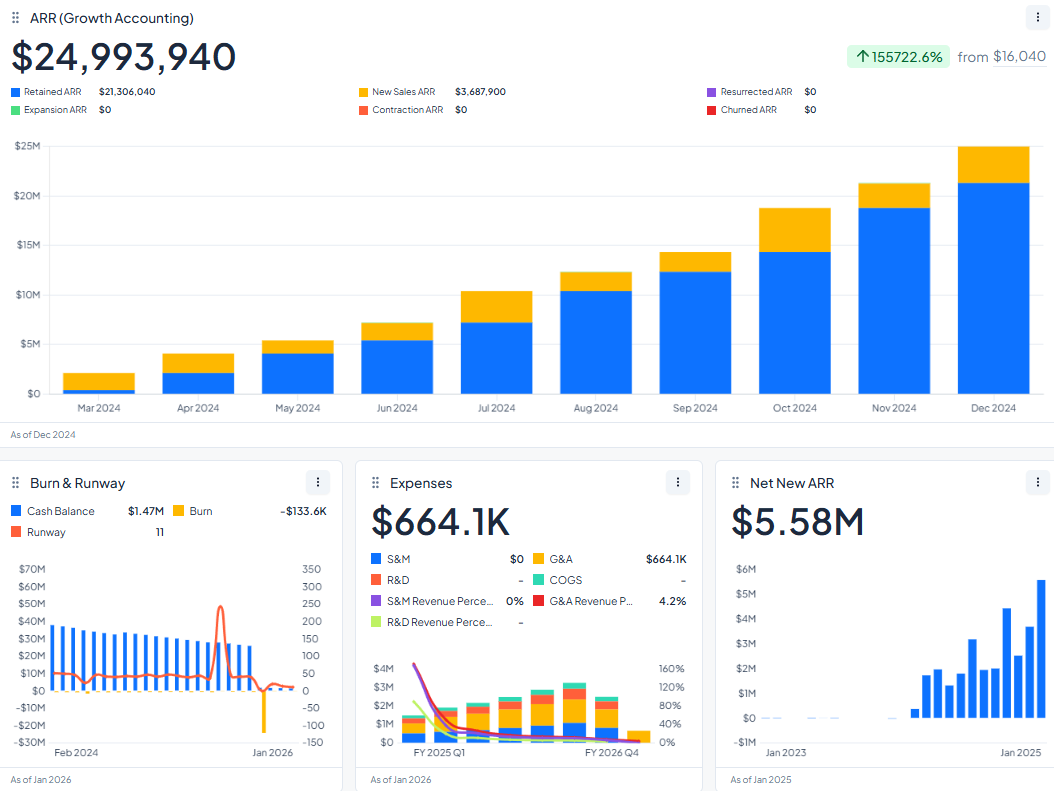
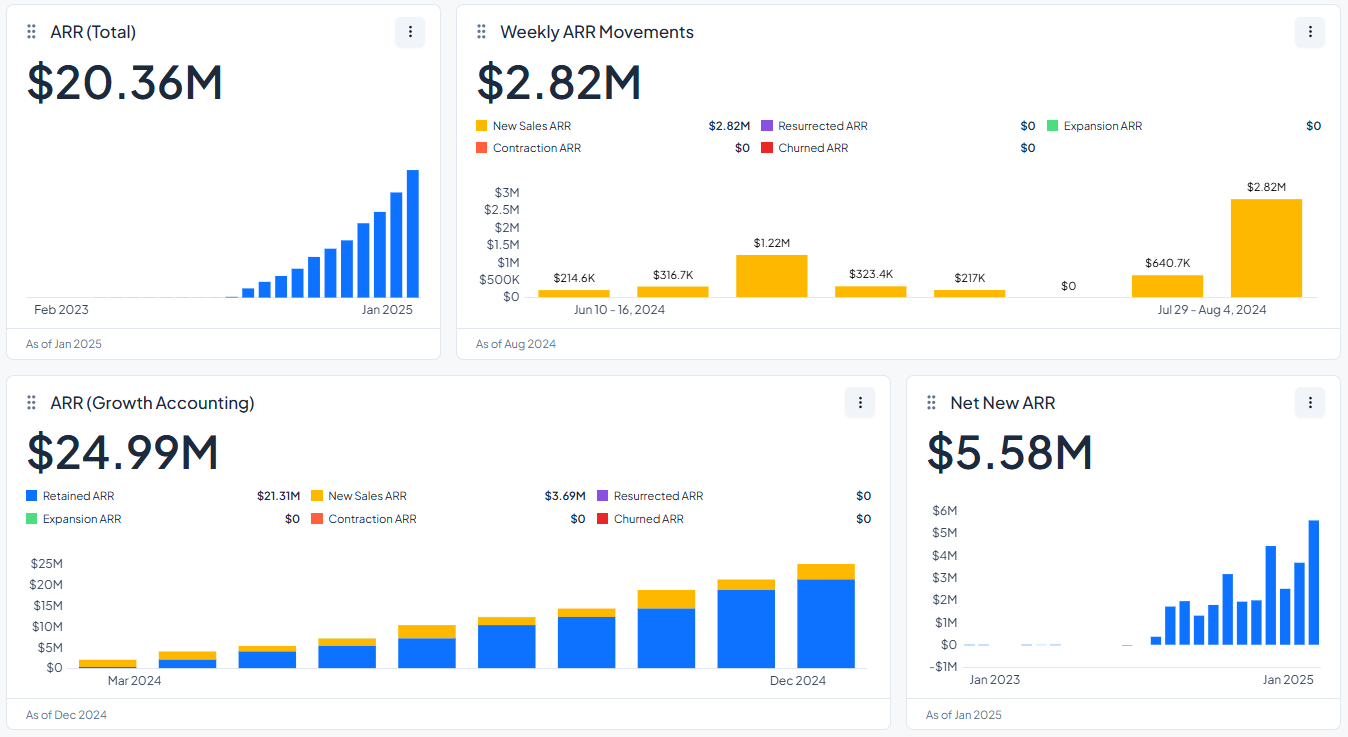
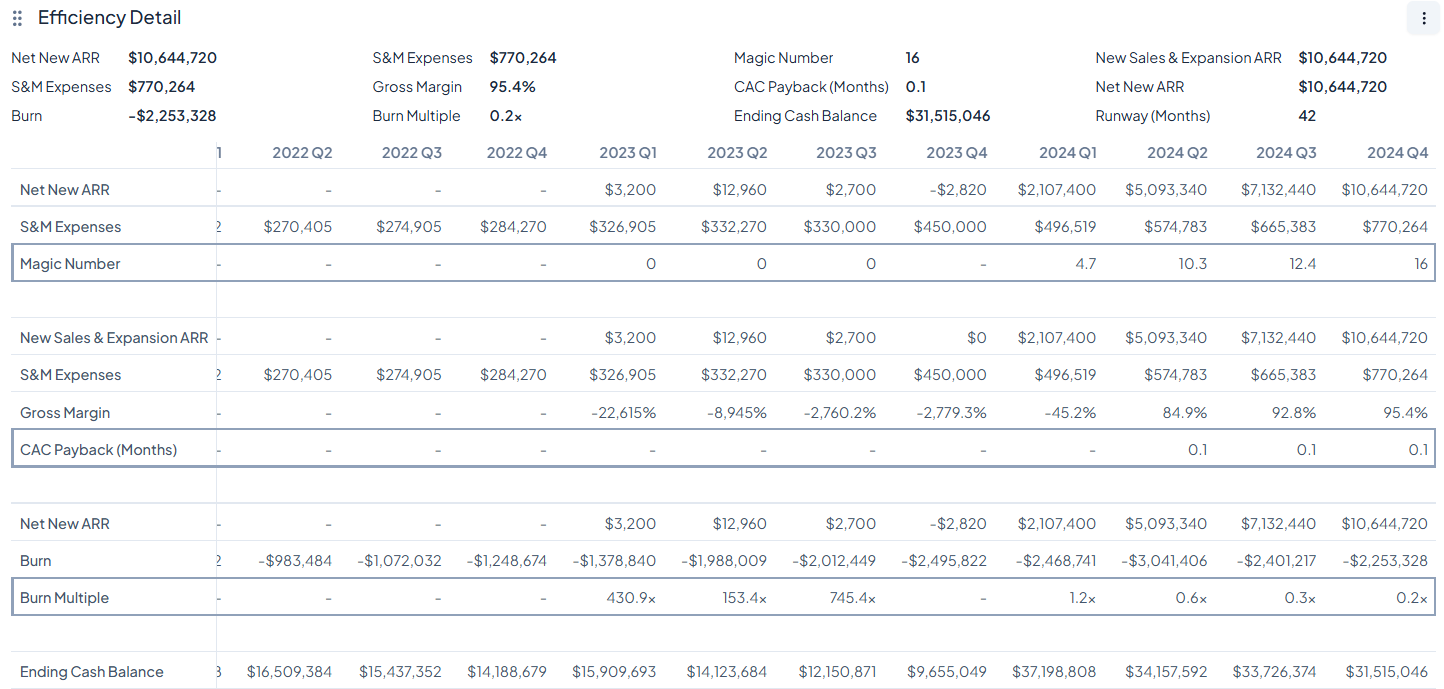
Dashboards: MRR/ARR trends, burn, pipeline, retention, forecasting, that updates automatically
The main goal of financial reporting tools is simple: to make things clearer, speed up decisions, and cut down on the time spent on spreadsheets.
What features should you look for in financial reporting tools?
While there are lots of software with different features and pricing, if you want reporting that doesn't break every month, there are some basics you must cover.
Feature
Why It’s Important
Software That Covers This Well
Multi-Source Data Integration
Connects CRM, billing, accounting, and banks into one place
Different businesses need different types of financial reporting tools
A SaaS company that tracks ARR and churn has very different needs than a manufacturer that manages inventory or a consultant who works alone and handles invoices and taxes.
It’s important to note that the size of your business isn’t as important as how your money works and what choices you have to make every month.
Financial reporting tools for B2B, SaaS, and subscription businesses
Recurring revenue and keeping customers are what SaaS and subscription businesses depend on. Every month, you keep an eye on more than just your income. You also keep an eye on your momentum, churn risk, and chances for growth.
What you need:
Recurring revenue clarity: clear visibility into MRR and ARR
Retention metrics: GRR, NRR, and logo retention to understand base stability
Revenue movement reporting: new revenue, expansion, contraction, and churn broken out cleanly
Revenue recognition support: ASC 606 compliance as billing and contracts become more complex
Financial reporting tools for Service-Based Businesses and Solo Practitioners
Most of the time, service businesses put a lot of value on being clear and simple. You don't need complicated enterprise dashboards; you need clean books, cash visibility, and low overhead.
What you need:
Simple bookkeeping: easy income and expense tracking
Tax-ready statements: clean profit and loss reporting
Cash visibility: invoicing, expenses, and payment tracking
Easy setup: minimal admin time
Good-fit tools:
QuickBooks Online: broad and simple accounting solution
Xero: clean interface with strong SMB accounting features Heard: purpose-built bookkeeping for therapists
Financial reporting tools for Regulated Industries
Healthcare and higher education are two examples of industries that have strict rules about compliance and need more detailed reports. Financial tools need to help with being ready for an audit and keeping track of costs in a structured way.
What you need:
Benchmarking: compare performance across departments or peers
Audit readiness: strong documentation and governance
Good-fit tools:
Syntellis Performance Solutions: performance management and analytics built for regulated environments
Financial Reporting Tools by Business Size and Scalability
As your business grows, the tools you need to report on your finances will change.
At first, speed and simplicity are the most important things. As sales go up and reporting gets harder, consistency, forecasting, and governance become more important.
Picking tools that fit your current stage will help you avoid both making your reporting stack too simple and too complicated.
Will this still work when you double revenue, users, and data sources?
Scalability means the tool can grow with you. If the amount of data, users, and integrations grows, a dashboard that works fine at $1 million in revenue might not work at $10 million.
As you add users, make sure that performance stays fast, permissions don't get messy, and prices don't go through the roof.
If reporting slows down or needs constant manual fixes as you grow, it stops being infrastructure and becomes a bottleneck.
2. Implementation time
Do you need your system live in a couple weeks or can you handle months?
Some dashboard tools can be ready to use in a few weeks, but it can take months to set up a full ERP or enterprise planning system.
Be realistic about how much time you have and how much work you can handle. Lightweight tools are usually the best place to start if you need clean reporting quickly.
Remember this simple rule of thumb:
Weeks: Dashboards + lightweight tools
Months: ERPs / enterprise CPM
3. Team expertise
Will my team need additional training? If so, how much would it cost, and how long would it take?
Your tool should fit in with how your team already works. If Finance works in Excel all the time, making them use a brand-new interface can make it take longer to get used to it.
The goal is not to change how your team works, but to make it better without making it more complicated.
Consider if you need integrations with tools you already use or if you should replace them altogether.
4. AI roadmap
Does it help you spot issues early, or just to show charts?
AI shouldn't just be used to make dashboards look nice; it should help you find problems early and make decisions.
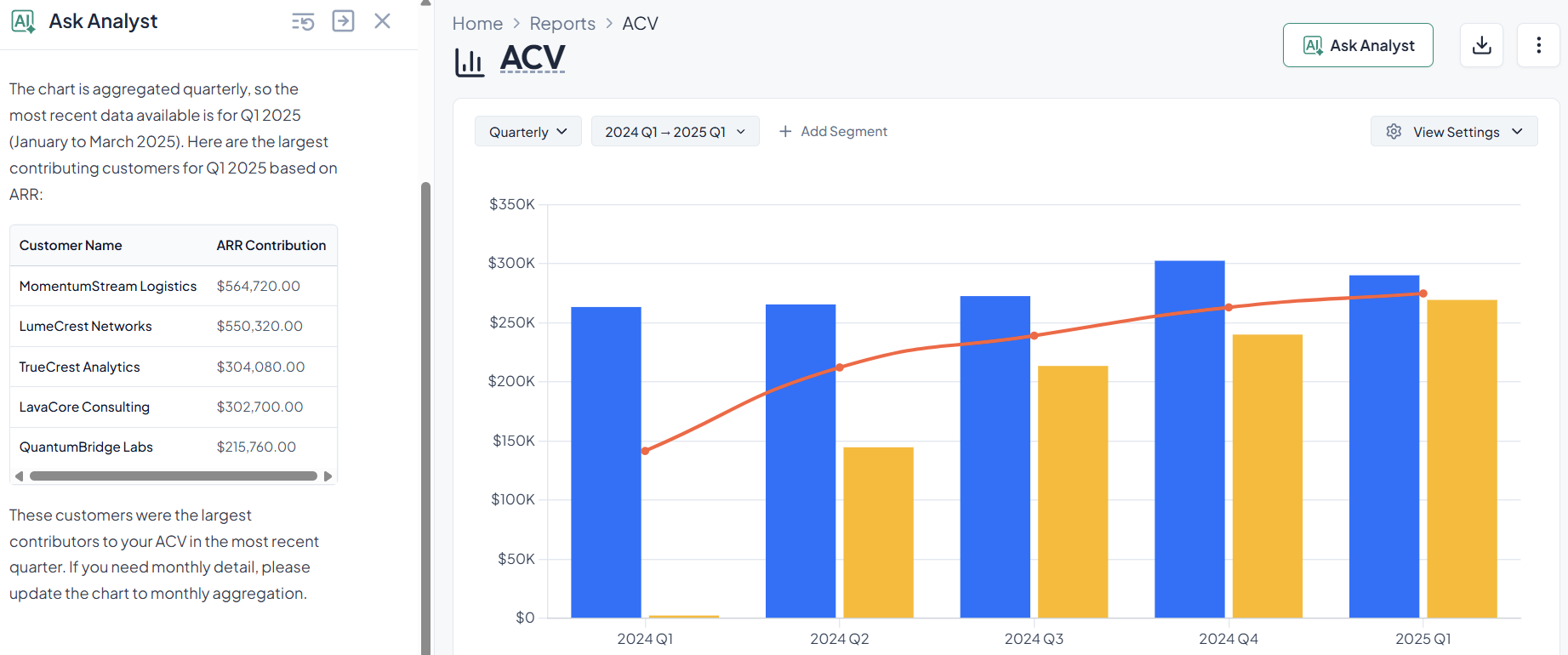
Look for features like automated board commentary, plain-English queries, and anomaly detection.
Remember, AI isn't really useful if it only changes the color of your graphs.
Co-Founder and CEO at Grid. Ethan has over 10 years of experience in SaaS. He created Grid to help businesses get clear data without having to spend hours wrangling data and writing SQL queries.


.avif)