
SaaSGrid is now Grid! Read about our evolution here.
SaaS companies that want accurate forecasting, unified pipeline insights, and clear visibility across sales, finance, and customer operations need to choose the right revenue intelligence platform. If you’re weighing options, it helps to understand how Grid works before you line up platforms side by side.
Let's start by taking a look at what revenue intelligence is, why it's imporrtant, and how can you implement it in your business.
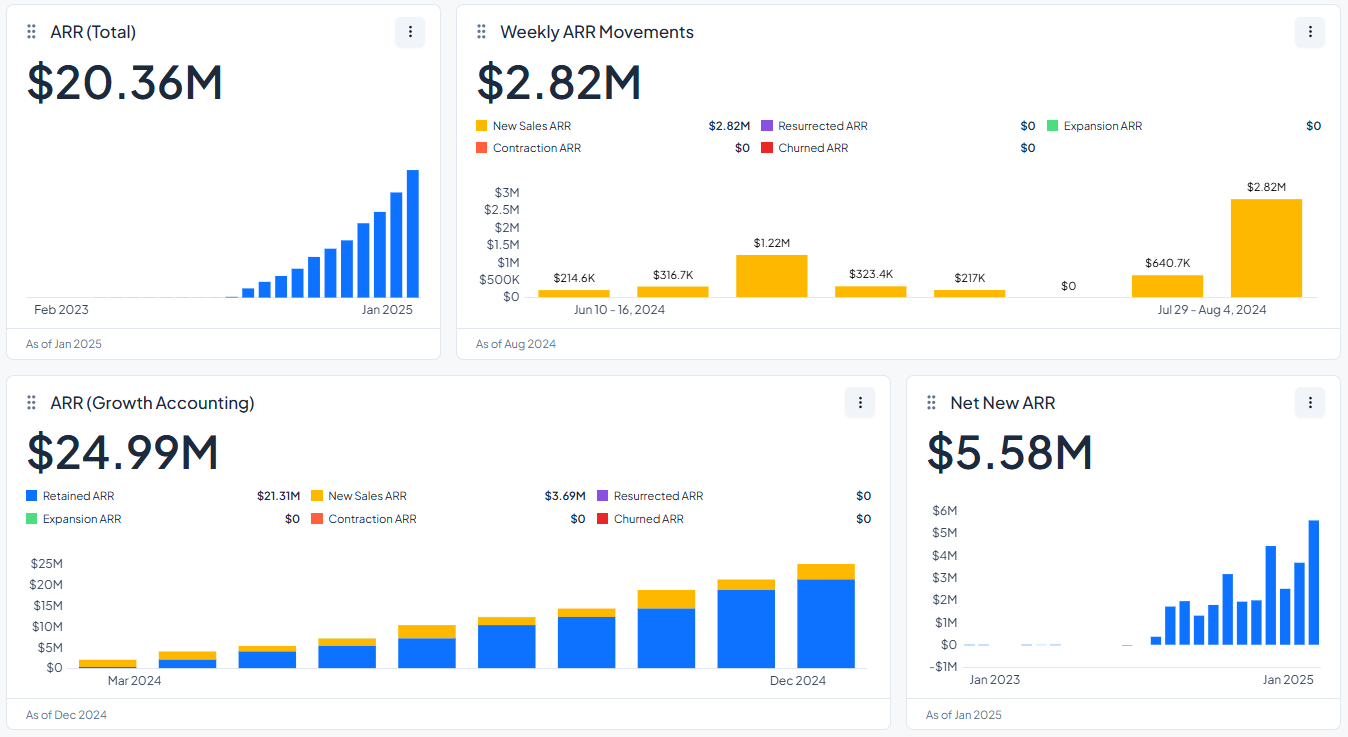
Revenue intelligence (RI) helps teams stop looking back and start seeing what's happening right now and what might happen next. That shift toward live signals is the point of real-time insights that drive faster decisions.
It gets signals from your CRM, email, calls, and sometimes even how you use the product. It then turns that into clearer views of the pipeline, flags for deal risk, and suggestions for what to do next.
Most SaaS teams deal with two common issues:
Sounds familiar? That’s why the goal of RI tools is to bring all signals into one place so teams can work off the same story.
DebtBook connected Grid to Salesforce to reduce reporting work and get a clearer view of pipeline and ARR. Then, the team automated segmented ARR reporting and added real-time pipeline reporting, including opportunity creation and stage progression, so weekly exec and GTM check-ins could run on the same numbers.
Grid moves fast and releases updates quickly. They truly understand the market and continuously build the features I need to see my company’s overall picture.
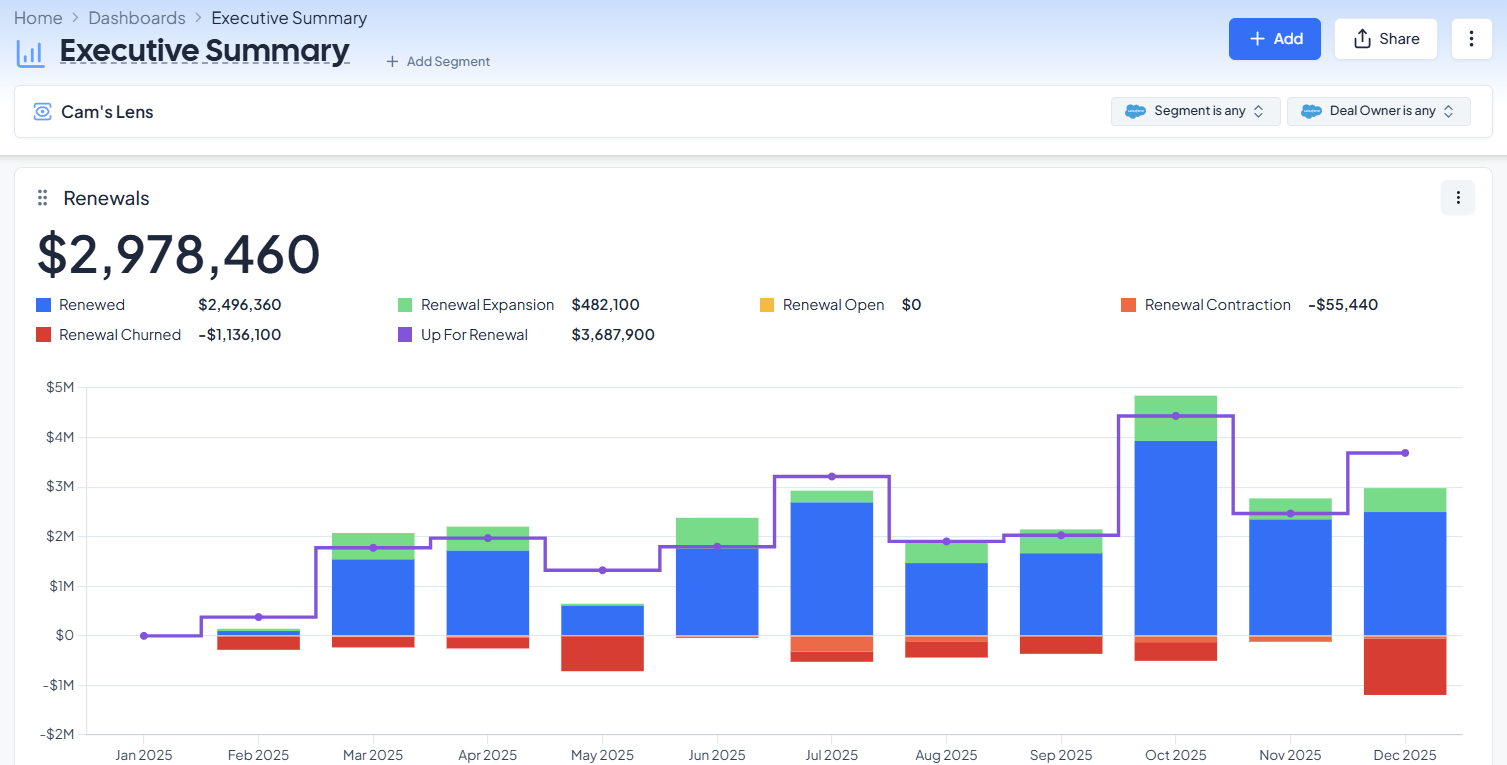
Grid also flagged data issues like overlapping contract dates and duplicates. The results? 80%+ reduction in reporting time and 10+ hours per month saved on board reporting.
Business Intelligence (BI) is mostly built for internal reporting and historical analysis. While it can be useful, it often depends on clean inputs and it usually doesn’t tell you what to do next inside live deals.
BI helps answer questions like:
RI is more about what’s happening in revenue motion right now. It focuses on deal movement, buyer engagement, and forecast confidence during the quarter, not just after the quarter ends.
RI asks questions like:
Conversation intelligence looks at what happened in calls and meetings. It can track things like keywords, who talked more, and how long the call ran.
RI uses call insights, but it also connects them to pipeline movement and forecast impact. That’s where it goes from “what was said” to “what it changes in the deal.”
While every software in the market focuses on different tools, there are essential features they should provide. Use the checklist below to spot which platforms fit your forecasting, pipeline, and cross-team reporting needs.
| Feature | What to look for | Why it matters | Software |
|---|---|---|---|
| Forecasting that’s easier to trust |
|
Helps teams forecast with evidence and spot risk earlier. |
|
| Pipeline visibility that spots problems early |
|
Keeps pipeline reviews focused on what’s actually changing. |
|
| One view that works for more than sales |
|
Reduces reporting mismatches across teams and tools. |
|
| Governance and security basics |
|
Matters more as teams scale and access expands. | Varies by vendor and plan, so teams should confirm during evaluation. |
Now it's time for our complete guide, we'll take a look at five of the best revenue intelligence solutions for 2026 based on real user reviews. It shows how each platform helps growing SaaS companies with forecasting, pipeline inspection, analytics, and revenue operations.
| Tool | Best For | Strengths | Limitations | Pricing | User Score |
|---|---|---|---|---|---|
| Grid Top Pick | SaaS companies with >1M ARR needing audit-ready revenue intelligence |
|
|
Free to Custom Pricing | 4.6 |
| Salesforce Revenue Intelligence | B2B teams with high deal volumes and complex quote-to-cash workflows |
|
|
$220 to $250 + Additional Tools | 4.2 |
| Revenue Grid | Salesforce-centric B2B teams with complex sales cycles |
|
|
$30 to $149 | 4.2 |
| Clari | Revenue forecasting and pipeline orchestration |
|
|
Custom Quote | 4.6 |
| InsightSquared | Structured pipeline analytics and revenue forecasting |
|
|
Custom Quote | 4.6 |
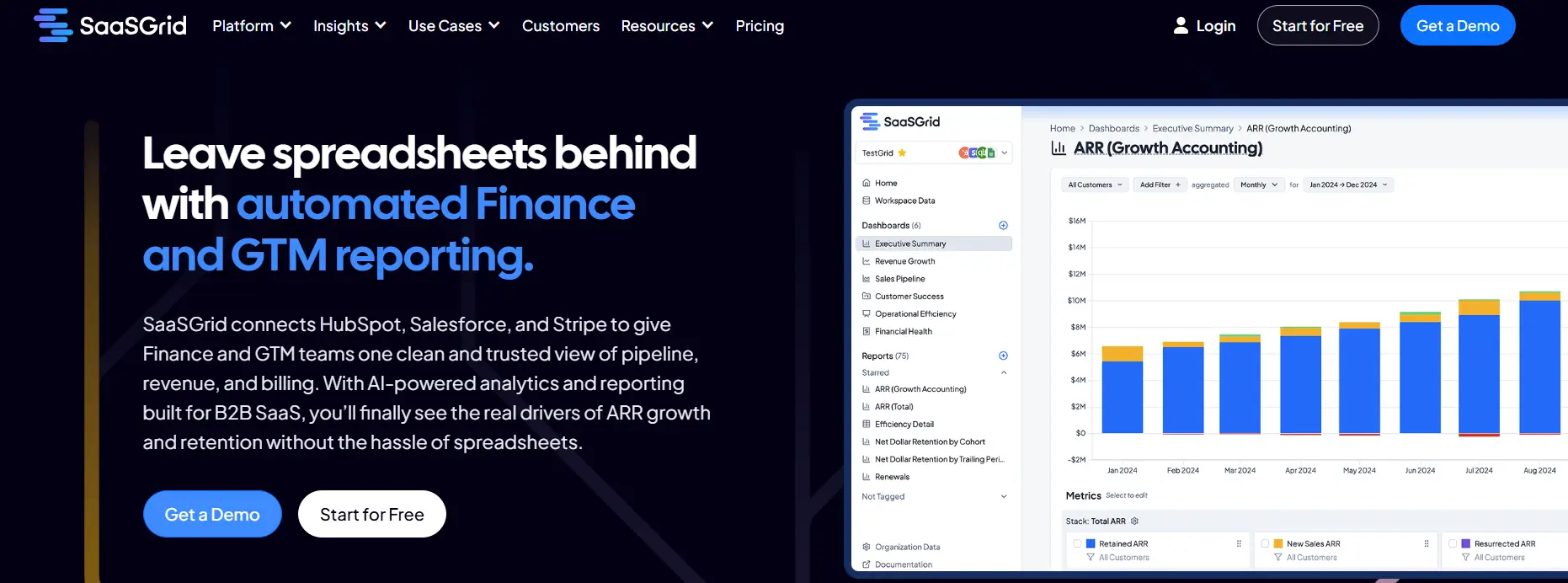
Grid is a great choice for SaaS companies with annual recurring revenue (ARR) between $1 million and $50 million that need reliable ARR reporting, CRM-finance reconciliation, and audit-ready revenue intelligence without having to hire a data team.
Grid is a built-in revenue intelligence platform made just for SaaS companies that have outgrown spreadsheets but don't want to deal with using general BI tools.
Grid comes with more than 150 SaaS metrics right away:
You don't need to know SQL or how to model data anymore. Both the finance and RevOps teams can use the UI to create custom formulas, group customers, and make dashboards that can be shared.
Syncs that happen in real time or almost real time keep data up to date in CRM, billing, and accounting systems. It also has an unlimited number of viewer seats, which makes it cheaper for teams that need a lot of visibility from investors or within the company.
Grid also helps teams gather data that is scattered. It works well with Stripe, QuickBooks, Xero, NetSuite, HubSpot, and Salesforce. It creates a single view of all customers by using fuzzy matching, normalization rules, and historical ARR versioning.
This method is especially helpful for SaaS companies that have to deal with a lot of different systems, usage-based revenue streams, multiple products, or a lot of contracts. During onboarding, customers work with a CSM and an implementation manager to clean up old data, map objects, set up formulas, and make the first dashboards. This means that the company only has to do about 6 to 10 hours of work over the course of 3 to 4 weeks.
Grid's AI Analyst already makes stories and charts on its own, and the company is now working on FP&A to improve budgeting, forecasting, and scenario modeling. If your business makes less than $1 million a year, you can sign up for a free Starter Plan to try out the platform. If your business makes more than that, you can sign up for a Growth Plan that costs more based on how big your business is. You can read more about what AI Analyst does today and where it’s headed.
“Incredible platform, incredible team, Grid is a must-have for serious SaaS operators” – Grant C.
“Support responds promptly to requests” – Annie C.
“Grid has completely transformed how we track and analyze our SaaS metrics” – Verified User in Computer Software
Grid offers deep functionality for revenue analytics, but some users mention challenges related to complexity and workflow flexibility.
“Grid is pretty advanced. The depth and power of the platform can make it feel a bit complex at times” - Grant C.
“The platform currently lacks flexibility for entering source data that doesn’t align with the predefined templates” - Annie C.
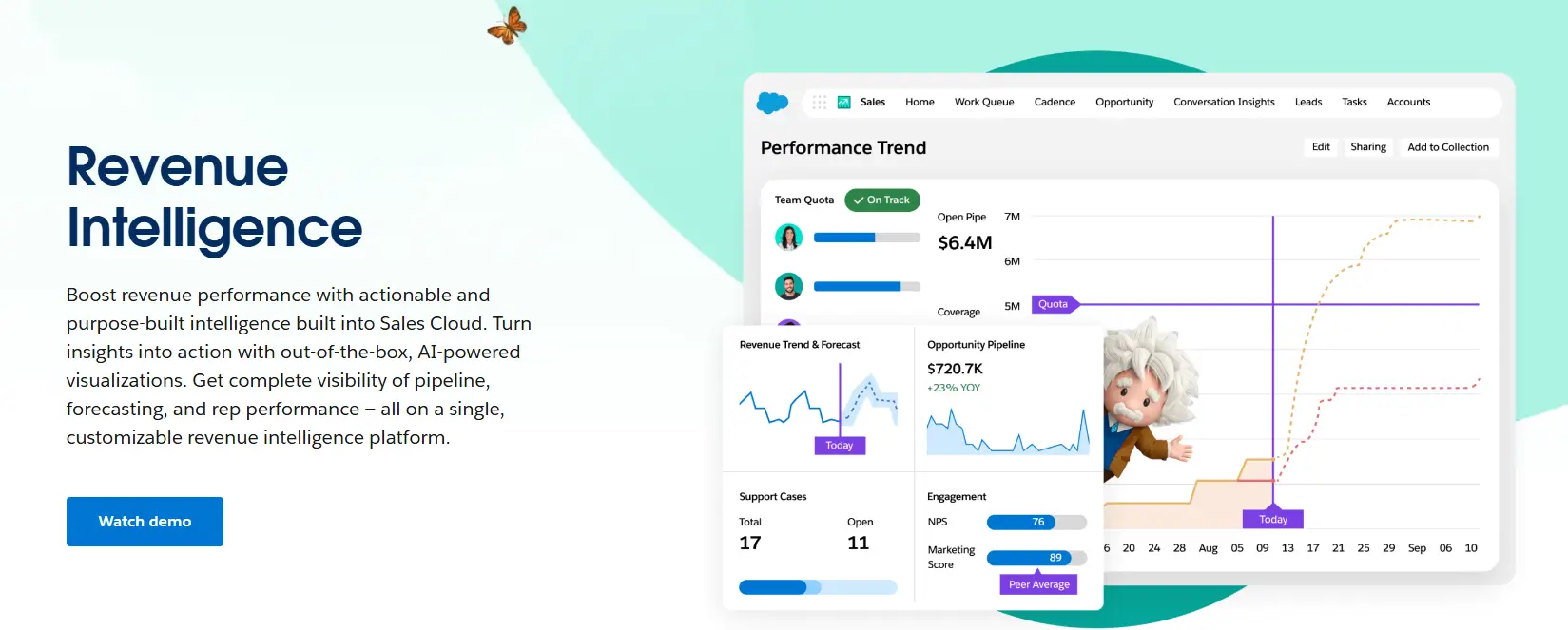
Salesforce Revenue Intelligence is an AI-powered analytics layer in Sales Cloud that combines performance analytics, pipeline inspection, and forecasting.
Salesforce lets you set up custom revenue metrics, work with multiple currencies, and use subscription structures that might need custom fields or extra tools like CRM Analytics, Tableau, or Revenue Intelligence for more detailed MRR, ARR, or churn reporting.
It's a strong choice for centralizing revenue intelligence, but it takes a lot of resources. It is meant for small and medium-sized businesses (SMBs), mid-market businesses, and large companies in fields like healthcare, retail, manufacturing, financial services, and professional services. It is very secure and can grow easily, but it also has some downsides, such as being expensive, hard to set up, and needing help from implementation partners.
“What I like most about Salesforce Revenue Cloud is how it unifies CPQ, Billing, subscriptions, and revenue recognition into one seamless process, giving teams full visibility from quote to cash.” – Salesforce User
“The CPQ tools make handling complex pricing and bundling much easier and reduce errors, while automated billing ensures what’s quoted is what gets billed.” – Salesforce User
“I also value its strong support for subscription and usage models, built-in compliance with ASC 606/IFRS 15, and the fact that it’s fully native to Salesforce, which makes reporting simpler and improves the overall experience.” – Salesforce User
Salesforce Revenue Cloud is powerful and feature-rich, but users often point out challenges related to complexity, cost, and performance at scale.
“What I find challenging about Salesforce Revenue Cloud is that it can be quite complex and often requires significant configuration or specialist support to get the most out of it.” - Salesforce User
“It can also be expensive when you layer CPQ, Billing, and Revenue Recognition together.” - Salesforce User
“The UI isn’t always intuitive for non-technical users, and customizing it can create technical debt… managing large product catalogs or complex rules can sometimes be time-consuming and impact performance.” - Salesforce User
Revenue Grid is a layer of revenue intelligence and sales execution that works with CRM systems, mainly Salesforce.
Revenue Grid helps with sales process analysis, pipeline inspection, and forecasting by putting together activity data from emails, calendars, and meetings.
Some of the most important features are the ability to automatically record activities, set up alerts that show deal risks or suggest next steps, track engagement, and analyze your pipeline based on time.
The platform uses CRM and activity data to help with things like keeping an eye on stalled opportunities, making sure that sales reps are following the right steps, and making forecasts more accurate by getting more complete data.
Revenue Grid works with business apps like Siebel, Oracle Sales Cloud, Creatio, and SpringCM, as well as Salesforce, Outlook, Gmail, Office 365, and conferencing tools. It can work with custom CRM objects, sync metadata, environments with more than one currency, and regional structures that are often used to report revenue.
People who work in finance, manufacturing, healthcare, and professional services use this revenue intelligence software because their sales cycles are hard to understand. Some of the problems that have been reported are that it takes time to learn how to use it, the UI doesn't always work right, and it only works with some email clients.
“This tool has made my life 10x easier. I track emails, meetings, add contacts to Salesforce directly from my email address, etc.” – Reagan G.
“The ease and convenience of having Salesforce access from the Google desktop is amazing.” – Michael K.
“The setup process is fast and simple, making it very easy to get started.” – Andrii B.
Revenue Grid is used to improve sales execution and activity tracking, but some users report issues related to reliability, feature limitations, and system updates.
“At times, the connection between Outlook and Revenue Grid fails, which means I can't use the add-in when this happens.” - Verified User in Hospitality
“There are things that you just can't do in RG that you can in SF and it makes it frustrating.” - Brandon H.
“Updates tend to change settings which can lead to disruption.” - Lori Braese

Clari is an AI-powered system that helps with forecasting, pipeline inspection, and revenue operations by bringing together CRM data, activity signals, and engagement metadata.
Clari provides automated forecast rollups, deal inspection and health scoring, conversation intelligence through Clari Copilot, and sales engagement tools that keep track of emails, calls, and meetings to make CRM cleaner and more accurate are some of its main features.
The platform gets signals from CRM systems and other tools that are connected to it. These signals show risk alerts, suggested next steps, and time-series pipeline analytics that help with coaching and reviewing the pipeline.
Clari works with a lot of different tools for communication, calling, data, and analytics, as well as most major CRMs. It also has APIs and ways to get data into BI systems and warehouses.
Some common uses are making predictions for businesses, keeping track of the pipeline, keeping track of activities, and making sure that RevOps, sales, and finance teams all get their fair share of revenue.
Some analysts and vendors say that being able to make accurate predictions early in the quarter is a big plus. Some of the problems that have been reported are that they depend on how clean the upstream CRM is, that the UI and syncing don't always work right, and that RevOps needs to be managed all the time to keep models accurate.
“The platform's capability to provide a clear overview dropdown for several analyses is highly valuable” – Gustavo G.
“Honestly, the onboarding process, ongoing support, and responsiveness we've experienced have far outweighed any technical issues we've encountered with Groove.” – Cyndy M.
“I like the ability to easily change important fields in Clari and Salesforce with one click.” – Courtney R.
Although Clari is widely used for revenue forecasting and pipeline management, some users highlight usability, reporting, and data dependency challenges.
“I find navigating Clari to be somewhat cumbersome.” - Brennan C.
“I find the filtering and exclusion capabilities somewhat ineffective.” - Tricia B.
“Clari is only as good as your Salesforce hygiene and your internal operating rhythm.” - Verified User in Marketing and Advertising
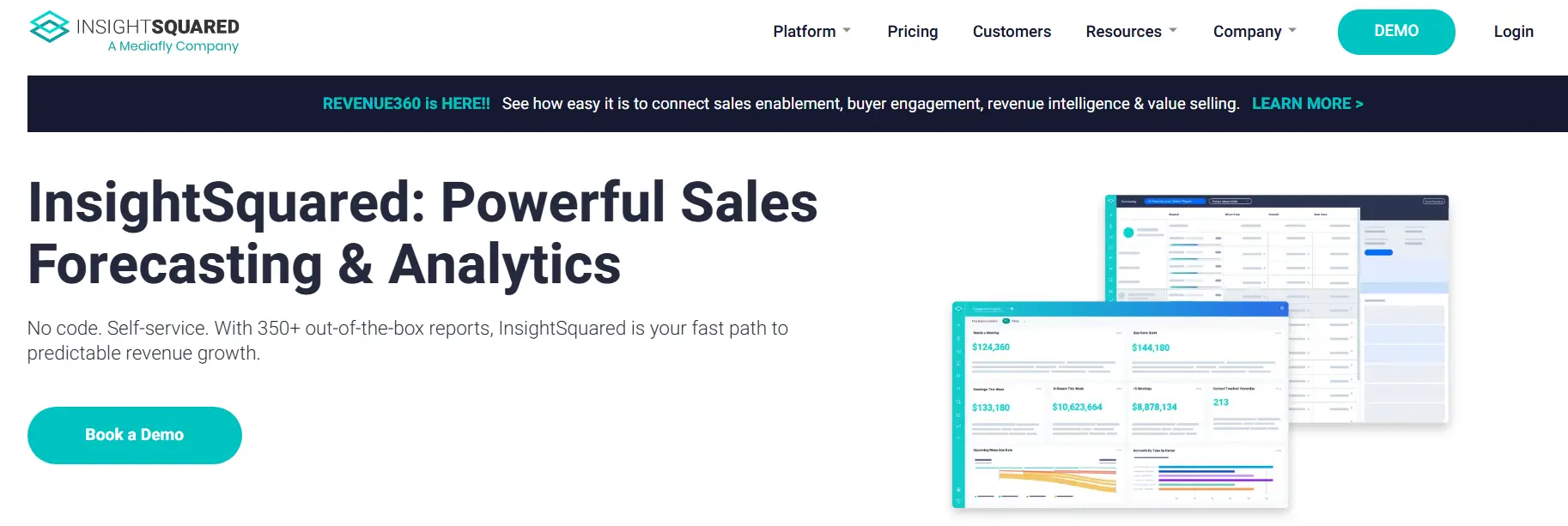
InsightSquared is a sales analytics and revenue intelligence platform that brings together CRM records, activity data, and call insights to give you a real-time view of forecasting, pipeline health, and sales performance.
InsightSquared connects to systems like Salesforce, HubSpot, email, calendars, and calling platforms to keep track of all the interactions that happen during the sales process, add to CRM data, and make a single dataset for analysis. Some of its best features are AI-assisted forecasting, automated activity logging, conversation intelligence, sales rep scorecards, and pipeline inspection tools that show deal risks, stage progression, and coaching opportunities.
The software helps with revenue operations by giving you customizable dashboards, over 350 prebuilt reports, and machine learning models that look at how people interact with your business to figure out what makes a deal successful.
Companies in the software, IT services, staffing, and financial services industries that are small to medium-sized use InsightSquared to help them make better predictions and keep track of their pipelines in a more organized way.
Some of the problems that people have said they have are that it takes longer for data to sync, reports can't be changed as much, and setting up CRM data structures can be hard.
“I love the visuals. They are absolutely phenomenal.” – Verified Reviewer, Recruiter
“I like the intuitive nature of the reporting and dashboards. It makes board prep easy and internal reporting a breeze.” – Verified Reviewer, VP Sales
“Extremely easy to use. Time stamps Salesforce changes to create robust pipeline tracking.” – Benton M., Sr Financial Analyst
While many users value the platform’s reporting capabilities, some recurring concerns appear in feedback related to data dependency, usability, and flexibility.
“It requires SalesForce to be pristine, and small changes can throw everything off.” - Verified Reviewer, VP Sales
“It’s not terribly intuitive. You will need training, and the training again after playing with it awhile.” - Lance C., Director of Business Development
“Fairly buggy, not the most flexible but flexible enough. They expose a lot of backend which is helpful for more advanced admin work.” - Verified Reviewer, Sr. Revenue Analyst
The revenue intelligence software market in 2026 has a lot of choices, and each one has its own level of depth, ease of use, and difficulty of implementation.
Grid gives SaaS finance and RevOps teams the tools they need to get specific information about revenue. On the other hand, Salesforce and Clari have big ecosystems that work best for businesses with well-established operational structures.
Revenue Grid is all about sales activities and processes, while InsightSquared is all about structured analytics and making accurate predictions.
The best revenue intelligence platform for a business will depend on how old its data is, what its CRM environment is like, what its operational priorities are, and how much it needs to be customized. This will make sure that the system you choose can handle accurate forecasting and revenue operations that can grow.


In this post, we’ll spotlight the most common SaaS reporting errors and why they occur.
Learn what makes SaaS bookkeeping different, from revenue recognition to the metrics and software tools that keep your books investor-ready.
.jpg)
As part of our most recent product launch we revamped our “Retention” chart to show non-cohorted retention rates.
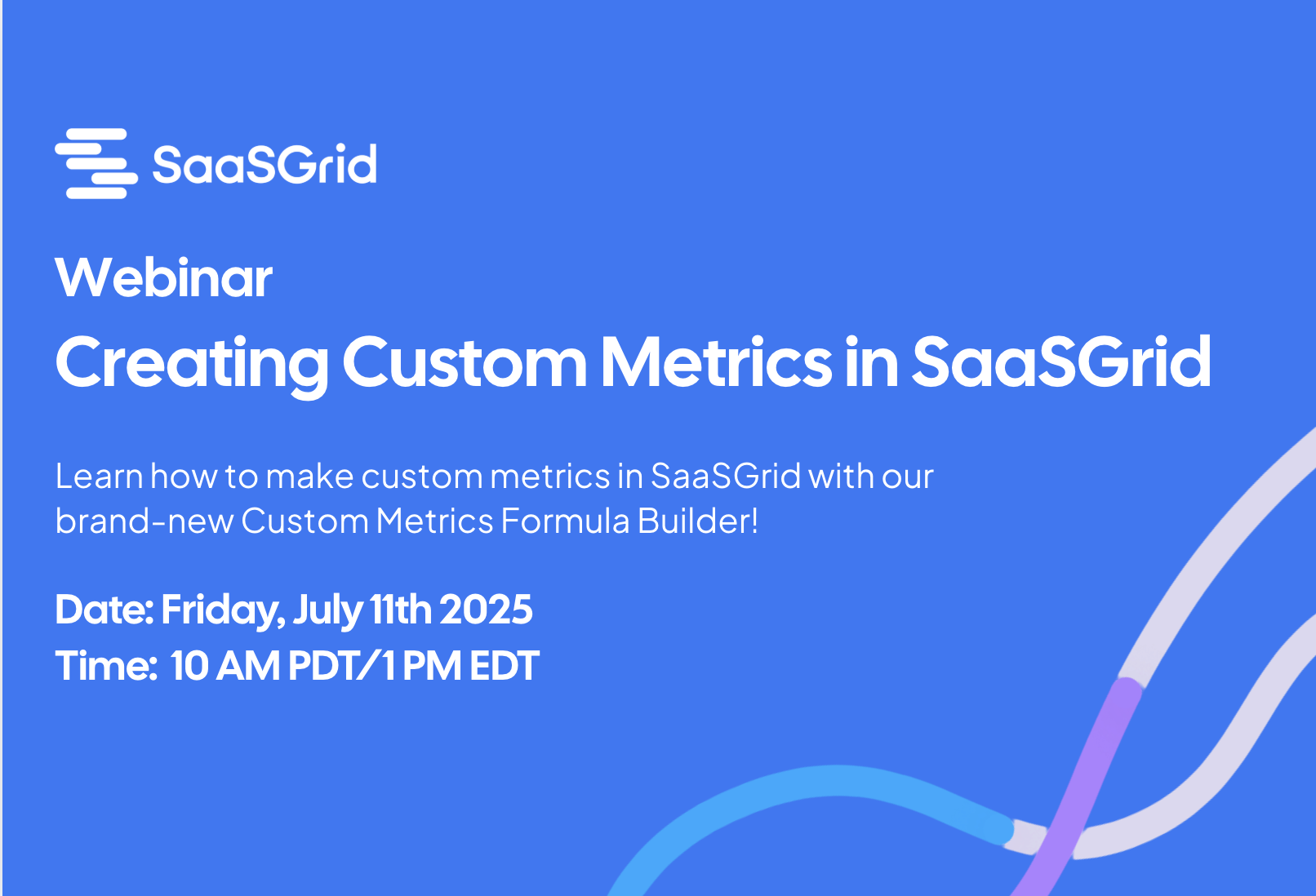
Learn how to make custom metrics in Grid with our brand-new Custom Metrics formula builder!


