What Workflow Automation Actually Is (And How It’s Different from BPA)
Workflow automation is simply letting software do repetitive work for you.
It does things like sending reminder emails, copying data between systems, setting up tools for new hires, and chasing approvals in Slack threads automatically for you.
This has become extremely important in a world where most people work from home and use SaaS. Automation frees up your team to work on more important tasks instead of boring, error-prone ones.
In its most basic form, workflow automation looks to optimize:
Speed: Tasks happen instantly instead of waiting on people
Accuracy: Less manual entry = fewer mistakes
Consistency: Processes run the same way every time
Workflow Automation vs. Business Process Automation (BPA)
It’s easy to get these terms mixed up, at the end of the day both try to improve on speed and consistency, but they’re not the same.
Workflow Automation
Business Process Automation (BPA)
Scope
Focuses on a single task or a multi-step flow within one department.
Broader umbrella that connects multiple workflows across departments.
Typical Use Case
Creating a quote
Routing a support ticket
Provisioning apps for a new hire
Coordinates end-to-end business processes involving multiple teams.
Departments Involved
Usually limited to one department.
Sales
Finance
HR
IT
Customer Support
Example: Client Onboarding
A single step such as sending a welcome email or creating an account.
Sales workflow → New client welcome
Finance workflow → Auto-payment setup
IT workflow → Access provisioning
Service workflow → Support onboarding
Relationship
A building block.
The full operational engine built on top of multiple workflow automations.
Now, let's review five SaaS automation tools that address these challenges in different ways, from analytics driven revenue workflows to low code integrations and document automation.
Best SaaS Automation Tools
Tool
Best For
Strengths
Limitations
Pricing
User Score
GridTop Pick
SaaS companies with > $1M ARR automating revenue and analytics workflows
Automated reporting for revenue, billing, and SaaS metrics
Centralized dashboards replacing spreadsheets and manual exports
Near real-time visibility across finance and RevOps data
Configurable metric definitions and report schedules
Advanced automation features require time to learn
Some automation capabilities are still evolving
Free to Custom Pricing
4.6
Albato
SMBs, marketers, agencies, and e-commerce teams connecting SaaS tools
Low-code automation for connecting cloud applications
Prebuilt connectors, webhooks, and conditional logic
Simple setup suitable for non-technical users
Automates data flows across CRM, billing, and analytics tools
Limited visibility into automation failures
Onboarding and documentation gaps for advanced workflows
Missing integrations for some complex use cases
Free to Custom Pricing
4.6
HubSpot
Businesses unifying marketing, sales, and service automation
Automated workflows across marketing, sales, and CRM data
Event-based automation tied to customer lifecycle stages
Centralized CRM-driven automation for go-to-market teams
Costs increase as automation needs grow
Reporting limitations for complex automated journeys
Customization constraints for advanced logic
Available Through Demo
4.4
Laserfiche
Large organizations with regulated, document-heavy processes
Automated document routing and approval workflows
Integrated document management, records, and compliance
Scales well for high-volume, repeatable processes
Performance issues with complex automation logic
Complex setup for advanced workflow customization
Steep learning curve for sophisticated automation scenarios
$53 to $93 per user/month
4.7
SAP Analytics Cloud
Businesses with existing SAP landscapes automating analytics and planning
Unified analytics, planning, and reporting workflows
Live SAP integrations for near real-time automation
Automated dashboards, budgeting, and forecasting cycles
Performance slowdowns with large datasets
Steep learning curve for advanced automated models
Limited flexibility in prebuilt automation templates
Available Through Demo
4.2
1. Grid: Automating Revenue and Analytics Workflows
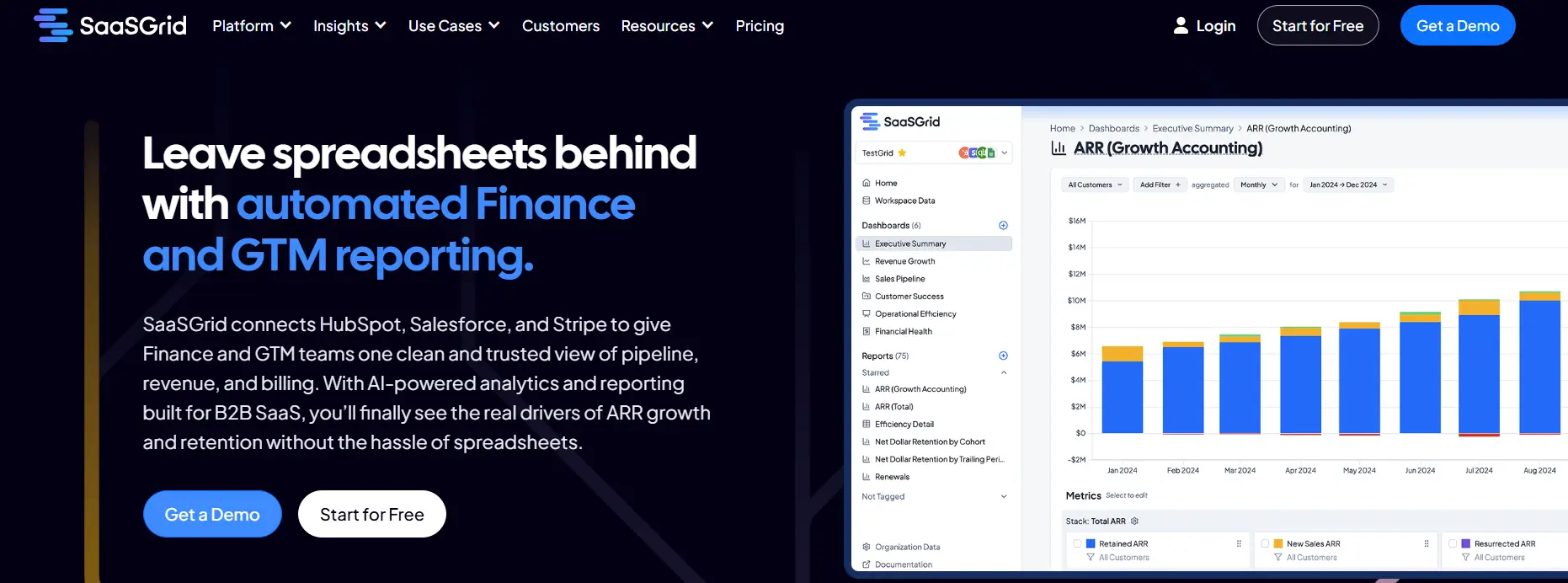
Grid is a SaaS analytics platform that helps you automate data workflows for recurring revenue, this reduces manual work and helps eliminate errors.
Grid helps teams cut down on operational costs by bringing together revenue, billing, and performance data from different systems into a single reporting layer.
It also takes care of things like calculating revenue metrics, making reports on a regular basis, and checking data across finance, RevOps, and leadership teams. Instead of managing a bunch of spreadsheets or checking different numbers across tools, teams can use standardized dashboards that update automatically whenever the source data changes.
Automating is part of Grid functions, common tasks like defining metrics, how often reports are sent out, and who can see them, etc. This helps make sure that every process stays the same over time. This becomes even more useful when the outputs feed shared dashboards that leadership can use without extra spreadsheet work.
The set of tools provided by Grid allows SaaS companies to manage growth across many tools and data sources while reducing the amount of work that needs to be done by hand and increasing the reliability of daily analytics operations.
What Users Like About Grid for Automation
Automated reporting for product, billing, and revenue operations
Users say that Grid reduces manual work by automating how SaaS metrics are tracked and reported across teams.
“Grid is super effective, it helps automate reporting processes, reduce manual errors, and provides actionable insights for businesses to make informed decisions quickly.”
–
Annie C.
Dashboards that replace spreadsheets and manual exports
Reviewers say Grid dashboards make it easier to monitor KPIs without rebuilding reports or relying on manual data exports.
“Grid has allowed our company to track KPI's and key metrics effectively. Our company was looking for a solution that provided automated and robust analytics and reporting. This allowed us to eliminate manual data export and reporting and view key metrics in real time.”
–
Sam H.
Integrated analytics with near real-time visibility
Some users say Grid’s automation helps bring metrics together faster, supporting quicker, data-driven decisions.
“It streamlines data collection and reporting, enabling businesses to track performance, identify trends, and make data-driven decisions.”
–
Harry M.
What Users Dislike About Grid
Grid offers powerful automation and reporting capabilities, but some users note challenges related to learning advanced features and the maturity of certain automation tools.
Advanced automation features require time to learn
Some users say that while automated workflows are valuable, it takes time to fully understand and use the platform’s automation and reporting capabilities.
“One thing to note: Grid is pretty advanced, so it does take some time to fully understand all of the automation and reporting capabilities.”
- Grant C.
Some automation features are still evolving
Users acknowledge that certain parts of the automation platform are still maturing and being improved over time.
“As Grid is still relatively new, some features around automation are still being improved.”
- Annie C.
2. Albato: Low-Code SaaS Automation for Connecting Tools and Data
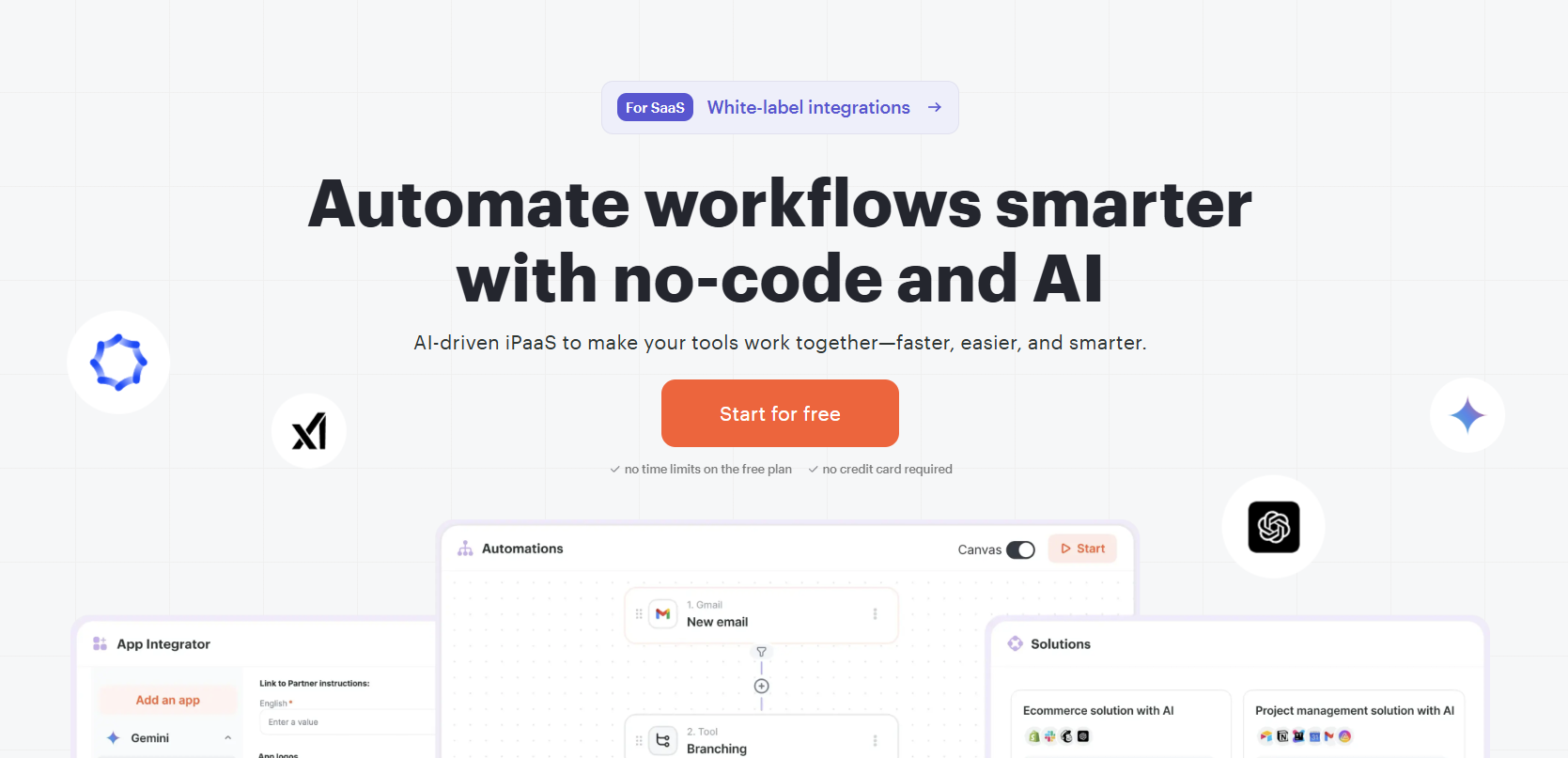
Albato is a SaaS automation tool that lets teams automate their workflows by linking cloud apps together without having to write any code.
This tool helps SaaS businesses’ automation by keeping data in sync between systems like CRMs, billing tools, analytics platforms, and support software.
It’s important to note that Albato is not a revenue recognition system, however it can automate data flows that help with revenue recognition, like sending billing events, updating subscription data, or starting financial workflows across different systems.
In practice, Albato is a flexible SaaS automation platform that lets teams and users create scheduled and event-based automations. Users like its easy-to-use interface and simple setup, which makes it easier to automate processes that involve more than one step.
Albato also has prebuilt connectors, webhook support, conditional logic, and data mapping. This makes it good for automating operations, reporting pipelines, and workflows related to finance. Different companies say they use it to cut down on manual work, make sure that data is consistent, and keep SaaS systems in sync as they grow.
What Users Like About Albato
Easy and simple setup for automation
Several users say Albato makes it easy to create automations, even for non-technical users, thanks to a clean and intuitive interface that reduces setup time and reliance on developers.
“I find the simplicity of Albato particularly impressive. The interface is clean and intuitive, making it easy to set up integrations without needing deep technical knowledge.”
–
Synapsen S.
Integrations that do not require coding
Users often mention Albato’s ability to connect multiple apps without custom code, making automation accessible to a wider range of teams.
“Albato makes it easy to connect multiple apps without writing code, and the automation builder is very flexible.”
–
Verified User in Consulting
Strong value for money
Pricing and overall value come up frequently as positives, especially compared with other automation platforms offering similar functionality.
“I love Albato for its best pricing compared to other automation tools and the number of integrations available.”
–
Ravi v.
What Users Dislike About Albato
Albato is used to connect apps and automate workflows, but some users report challenges related to visibility into failures, onboarding resources, and advanced integrations.
Limited visibility into automation failures
Some users say that when automations stop working, it is not always immediately clear what caused the issue, which can slow troubleshooting.
“I had the problem once or twice that an integration stopped working and it was not immediately obvious why.”
- Synapsen S.
Gaps in onboarding and documentation
Some reviewers note that while the tool is usable, onboarding materials could be more comprehensive, particularly for new users learning advanced workflows.
“The main downside so far is the depth of onboarding materials, which could be improved for new users.”
- Verified User in Consulting
Integration coverage and complexity of advanced setups
Users sometimes mention missing integrations or difficulties when configuring more complex automations, which can limit certain use cases.
“While Albato performs well overall, there are still some apps missing that I would like to integrate.”
- Lawrence P.
3. Hubspot: Unified SaaS Automation for Go To Market and Revenue Workflows
HubSpot is a SaaS automation platform that lets you automate CR), marketing, sales, and service using a single tool.
Price
Available Through Demo
Ideal use case
Businesses looking to unifying marketing, sales, and service
It also helps standardize deal data, lifecycle stages, and subscription events so that revenue-related activities are always recorded and can be audited across teams.
HubSpot is a SaaS automation tool that takes care of things like routing leads, moving deals forward, sending emails, and updating the customer lifecycle.
Users praise its ability to start actions based on behavioral events like submitting a form, interacting with a product, or changing the stage of a deal. This cuts down on manual handoffs and makes sure that the data is consistent between the marketing and revenue teams. Integrations allow teams to sync customer status, renewals, and contract updates with downstream finance systems, which means that automation features can also be used for billing-related tasks.
HubSpot is a popular tool for SaaS companies to automate go-to-market tasks, keep their revenue data clean, and support workflows for growth that can be scaled up without a lot of customization.
What Users Like About HubSpot for SaaS Automation
Automated workflows and campaigns across teams
Users often say HubSpot makes it easy to automate marketing and lifecycle actions with minimal setup, helping SaaS processes run consistently over time.
“Very easy to use and helps automate marketing activities”
–
Nabin P.
Centralized automation connected to CRM data
Reviewers say automation works best when it is tied directly to contact, lead, and pipeline data in a single CRM system.
“Everything is connected to the CRM which makes automation simple”
–
Kimberly L.
Scalable automation for leads and lifecycle management
As SaaS teams grow, many rely on HubSpot to automate lead scoring, nurturing, and handoffs between teams.
“New Lead Scoring model is very useful for automation”
–
Karthick M.
What Users Dislike About HubSpot
HubSpot is widely used for marketing automation, but some users highlight concerns related to cost, reporting depth, and flexibility for advanced automation.
Rising costs as automation needs scale
Users say that when HubSpot is used at scale, advanced automation features can become increasingly expensive.
Reporting limitations for automated flows
Some reviewers say it can be difficult to analyze or drill into complex automated journeys using the built-in reporting tools.
“The reporting and analytics phase can every so often feel limited”
- Ankit Y.
Limited personalization for advanced automation logic
Users note constraints when trying to build highly specific or non-standard automation logic.
“Can definitely improve when it comes to customization”
- Rakesh S.
4. Laserfiche: Document and Process Automation for Regulated Workflows
Laserfiche is a cloud-based platform for content services and automation that helps businesses manage documents, automate their processes, and make sure that rules are followed across the board.
Laserfiche helps with revenue-related workflows by automating the routing of documents, approvals, and record-keeping for contracts, invoices, and compliance documents. This helps teams cut down on manual work and reduces delays in day-to-day operations.
This tool provides a single system that combines document management, workflow automation, and record keeping at a deeper level. With configurable workflows, users can automate tasks that they repeat every day, like filling out intake forms, following approval chains, and keeping audit trails. This helps make sure that the finance, operations, and legal teams all follow the same steps.
The platform works with line of business systems to make sure that data is consistent while keeping the controls that are needed in regulated environments.
Laserfiche is more of an automation tool than a reporting or analytics one and is meant for companies that want to automate processes, stay compliant, and keep track of everything.
What Users Like About Laserfiche for SaaS Automation
Automating high-volume document workflows
Users often say workflow automation is one of Laserfiche’s strongest capabilities, especially for managing structured and repeatable business processes.
“Laserfiche demonstrates brilliance and efficiency in automating document workflows”
–
Samantha L.
Reliable document and process management
Many reviewers point out that the platform helps departments automate workflows consistently while maintaining strong control over documents and processes.
“Laserfiche is a versatile and effective document management solution”
–
Sonalina C.
Strong performance for large-scale automation use cases
Users say Laserfiche performs well when automating large document repositories and recurring, high-volume processes.
“LaserFiche is magnificent in handling document processes efficiently”
–
Suap L.
What Users Dislike About Laserfiche
Laserfiche is used for document management and automation, but some users report challenges related to performance, configuration complexity, and learning advanced workflows.
Performance impact in complex automated workflows
Some users say that systems can slow down when handling heavy automation logic alongside large volumes of documents.
“Heavy document workflow leads to performance problems”
- Samantha L.
Complex setup for automation rules and customization
Users note that configuring workflow customization and automation rules can require specialized knowledge.
“Laserfiche has a complex customization process”
- Sonalina C.
Steep learning curve for advanced automation scenarios
Some users say that setting up more sophisticated automated processes correctly takes time and experience.
“Laserfiche has a complex workflow structure”
- Graziana C.
5. SAP: Unified Analytics and Planning Automation
SAP Analytics Cloud is a cloud-based analytics and planning platform that makes SaaS automation easier by bringing together reporting, forecasting, and planning workflows.
It helps teams recognize revenue by linking operational data with finance and control systems. This allows them to see revenue, costs, and performance in near real time without having to use lengthy manual spreadsheets.
SAP Analytics Cloud is also a popular tool among its users for automating regular reporting, budgeting, and forecast updates across teams within SaaS analytics tools.
Users depend on its live connections to SAP systems to cut down on data duplication and keep dashboards in sync with source systems. Built-in collaboration tools help with review cycles and approvals, while planning features automate what-if scenarios, allocations, and rolling forecasts.
For businesses that already use SAP, it acts as an automation layer that brings together analytics, planning, and financial reporting in one place. This cuts down on manual handoffs and makes revenue-related processes more consistent.
What Users Like About SAP for SaaS Automation
Unified analytics and planning that support automation
Many users say that having analytics, planning, and reporting in one platform reduces tool switching and manual work.
“It brings planning, reporting, and visualization together in one place”
–
Ali F.
Live SAP integrations for real-time automation
Reviewers highlight that live connections to SAP systems strengthen automation by reducing data duplication and eliminating manual refresh cycles.
Self-serve dashboards and automated workflows
Users appreciate automated dashboards and self-service access that allow teams to explore data without constant IT involvement.
“Interactive dashboards and drill-down capabilities simplify complex data analysis”
–
Pavan Kumar M.
What Users Dislike About the Software
Users point out limitations that appear as automation scales, particularly around performance, setup complexity, and the flexibility of prebuilt automation assets.
Performance limitations as automation scales
Users report that automated dashboards relying on large datasets or complex logic can become slow or less responsive.
“It can feel slow or unresponsive at times”
- Ali F.
Difficulty setting up advanced automated models
Some users say that building automated planning or analytics models requires significant expertise and has a steep learning curve.
“The initial learning curve can be challenging”
- Shabarinath R.
Limited flexibility in automation templates
Reviewers note gaps in pre-built or industry-specific automation content, which can increase the amount of manual configuration required.
There is a wide range of scope, complexity, and best use cases for SaaS automation tools. Some platforms focus on bringing together revenue and analytics workflows, while others focus on integrations, automating the process of going to market, or following the rules for handling documents.
Users of these tools have said that they all have the same benefits, like less manual work and better data consistency. However, there are also trade-offs to consider, such as the time it takes to learn how to use them, their performance, and their cost at scale.
The right automation tool for your needs depends on your current systems, the maturity of your team, and the specific workflows that need to be standardized or orchestrated.
Co-Founder and CEO at Grid. Ethan has over 10 years of experience in SaaS. He created Grid to help businesses get clear data without having to spend hours wrangling data and writing SQL queries.




.jpg)