
SaaSGrid is now Grid! Read about our evolution here.
Revenue intelligence has moved from a sales analytics concept to a cross-functional capability that supports revenue forecasting, pipeline management, and financial planning. For RevOps, finance, and sales teams, it provides a shared view of how revenue is created, where risk exists, and what outcomes are likely.
This guide explains revenue intelligence step by step. Each section answers a specific question and focuses on how revenue intelligence works in practice.
Revenue intelligence is the use of advanced analytics and integrated operational data to understand, predict, and control revenue outcomes throughout the entire revenue lifecycle. It helps people make decisions by looking at past performance, current pipeline activity, and indicators that point to the future.
Revenue intelligence is different from traditional sales reporting because it doesn't only look at metrics from the past. It links information from CRM systems, sales engagement tools, billing platforms, and financial systems to show you what's going on now and what will probably happen next.
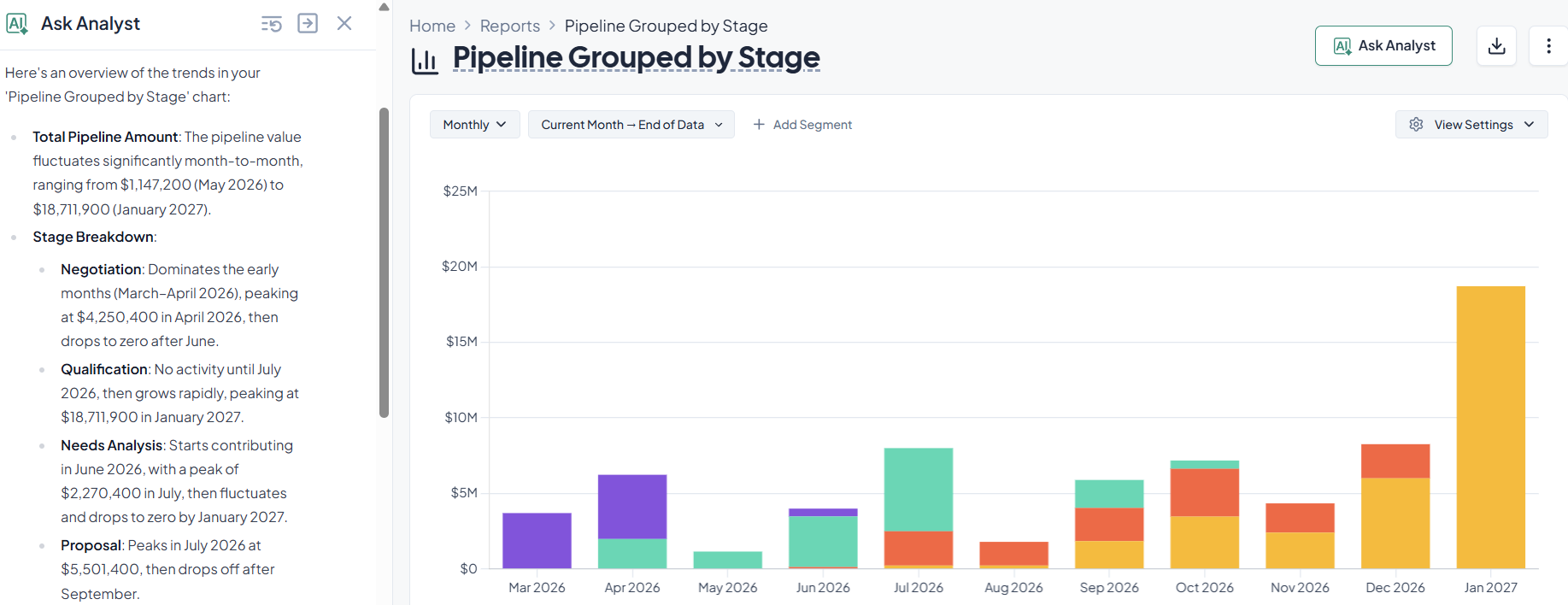
Revenue intelligence is a natural evolution of sales analytics that provides predictive and prescriptive insights to core performance reporting. It allows leaders to mitigate the risk of bad forecasts and paint a more accurate picture of the pipeline’s health.
Revenue intelligence works by collecting data from many systems at the same time, then it normalizes it and uses analytical models to find insights that are important for revenue outcomes.
This is what the process looks like at high level:
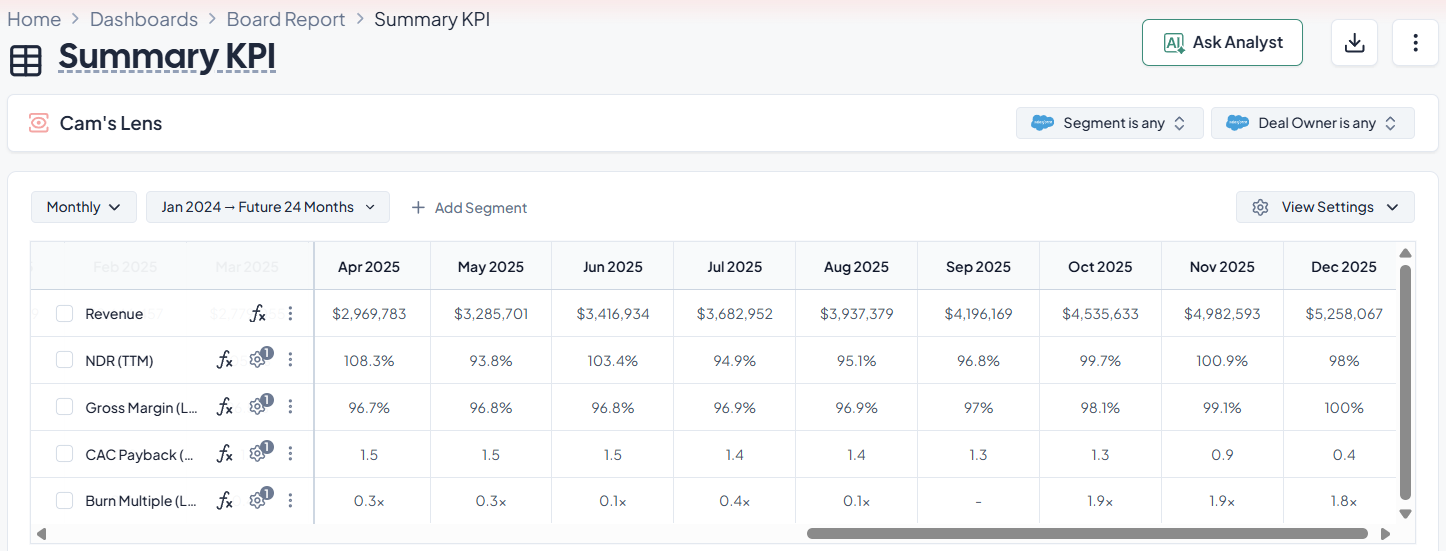
Revenue intelligence software is an application layer that makes it easier to collect, analyze, and show data about revenue. The goal is to cut down on manual reporting, make forecasts more accurate, and make sure that all teams use the same metrics.
Most revenue intelligence software includes:
Companies that have outgrown reporting with spreadsheets but don't want to build and maintain their own analytics pipelines often use revenue intelligence software with great success.
Revenue intelligence is important because it lets teams make decisions faster and with less manual work.
When sales, RevOps, and finance all use the same data, it's easier to trust forecasts, spot risks sooner, and figure out what's really bringing in money.
One of the best things about revenue intelligence is that it makes things more accurate and faster. Instead of getting numbers from different tools and putting them together by hand, teams can work from a more consistent view of contracts, billing, pipeline, and financial results.
That makes it less likely that reports will be late, makes mistakes less likely, and helps teams respond more quickly when things change. In practice, this means more accurate predictions, faster reviews of the pipeline, and less time spent fixing data before board meetings or the end of the month.
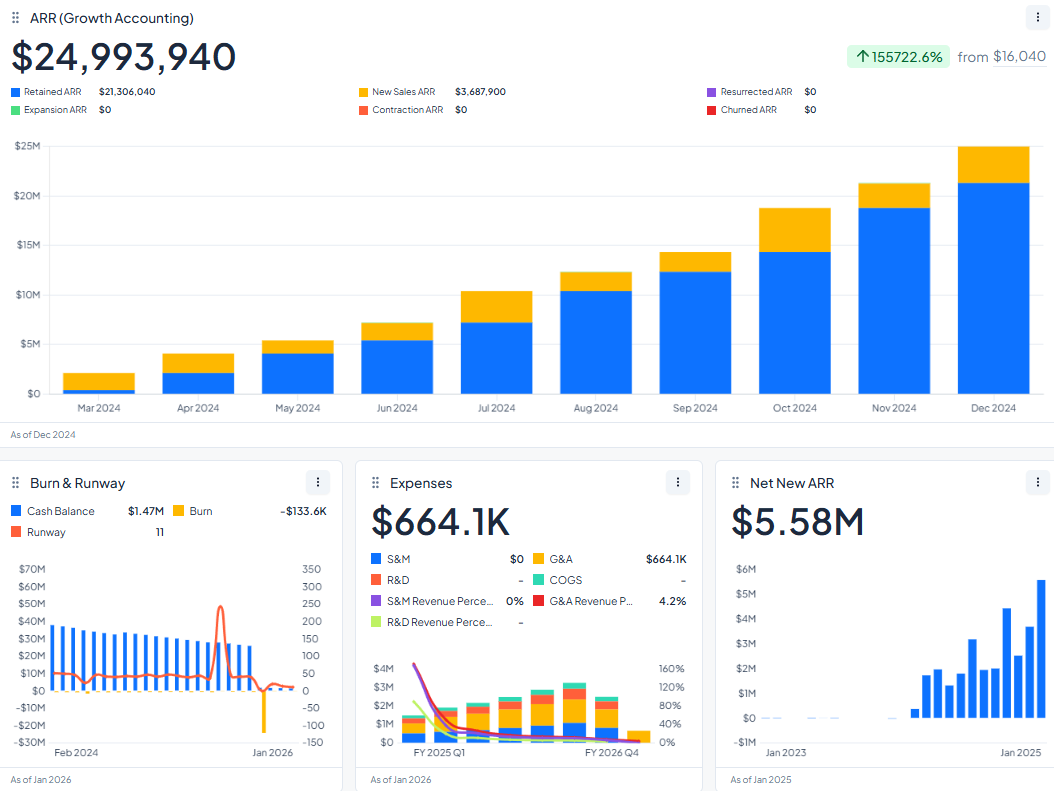
Revenue intelligence is becoming more important because ASC 606 and IFRS 15 say that sales, contracts, billing, and finance data all have an effect on how revenue is recognized. When those systems aren't connected, finance teams spend more time figuring out what went wrong than figuring out what went right.
Simple yearly subscriptions are no longer the only way to make money with SaaS. Now, businesses sell:
Those structures create accounting problems that can't be fixed with just CRM data. Finance needs to figure out what the performance obligations are, set the prices for transactions, divide the value among the obligations, and record revenue based on delivery or access.
A lot of mid-market and enterprise teams add to their revenue stack one tool at a time.
They might use one platform for conversation intelligence, another for forecasting and checking the pipeline, another for revenue analytics or revenue recognition, and then a BI layer and spreadsheet work to put everything together.’
While this setup can work for a while, it ends up leading to a broken operating model where sales, RevOps, and finance all see the same business in different ways and use different systems.
That fragmentation raises the total cost of ownership in ways that go beyond just the cost of licenses. Teams also pay for separate implementation projects, duplicate integrations, slower onboarding, ongoing admin work, and manually reconciling across tools.
They need analysts or RevOps admins more and more to keep reports in line over time. A business might spend less on each product separately, but more overall when you factor in the time spent on support, the work needed to integrate, and the trouble with reporting.
A mid-market company might use:
That setup can still create problems if the systems aren't aligned:
That means less time fixing mismatches and less reporting friction across teams.
CRM hygiene is often the biggest operational weakness in forecasting and pipeline reporting. In many teams, the problem is not missing analytics capability. It's incomplete upstream data:
These bad habits usually make forecasts less accurate, pipeline reviews less useful, and decisions take longer because the system no longer shows what is really going on in deals.
In short, poor CRM hygiene makes revenue intelligence into guesswork. The tools can still make dashboards and forecasts, but the results are less reliable because the inputs are weak.
A modern revenue intelligence system should not only depend on clean data. It should help create it.
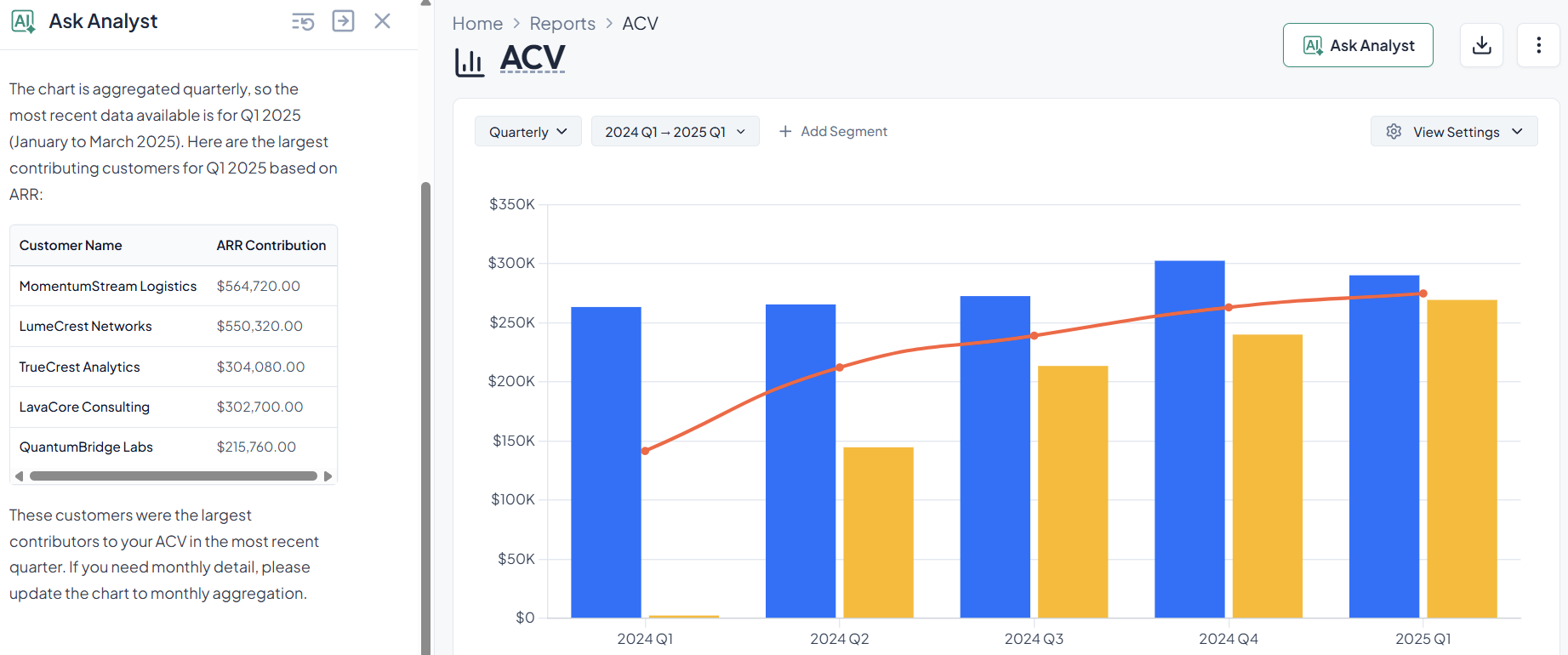
The right AI assistant will help you and your team by:AI
Let’s imagine a simple example.
A rep meets with a new procurement lead from a Fortune 500 account, but they don't record the meeting in the CRM. The platform can find the meeting in calendar and email signals, figure out the company domain, make a draft contact record, and ask the rep or admin to confirm it.
That kind of enrichment is important because revenue intelligence loses value quickly when pipeline data doesn't match up with what buyers are doing.
AI tools and integrations are a given in most software and platforms now a days, but it's important to differentiate the types of AI services and how the impact revenue intellifence.
Predictive AI helps teams figure out what is likely to happen and has been integrated into finance and revenue software for a while now.
Agentic AI goes a step further by doing things within set limits. That means AI is no longer just a consultant in revenue workflows.
It can also do routine tasks, start workflows, and keep systems in sync as things change.
This is important because revenue intelligence systems are now used in CRM, billing, and finance workflows, where timing and data quality have a direct effect on forecasting and reporting.
A more advanced revenue intelligence platform can help with things like:
Revenue intelligence is more useful when it helps teams do something with the data instead of just looking at it.
Agentic AI can cut down on manual admin work, make CRM and revenue records more complete, and spot problems sooner when contract, billing, and pipeline data don't match up. That means that sales, RevOps, and finance teams get feedback faster, have cleaner data, and have less time between finding a problem and fixing it.
At-risk deal management
A traditional revenue intelligence workflow flags a late-stage opportunity because there has been no buyer activity for 12 days.
An agentic workflow can:
This helps teams deal with deal risk faster, with less manual follow-up and better CRM discipline. The system doesn't just flag the problem; it also helps move the deal forward while keeping managers focused on the exceptions that really need their attention.
Contract-to-billing discrepancy
A signed contract in the CRM shows a July 1 start date, but the billing platform reflects July 15. Instead of waiting for month-end reconciliation, your AI agent can:
This lowers the risk that bad source data will get into billing, forecasting, or recognizing revenue. The team can fix the problem before it causes reporting errors or delays the close by catching the mismatch early.
There is no one-size-fits-all answer for revenue intelligence that works for all businesses. The right answer depends on how complicated the revenue model is, how old the data is, the CRM environment, and the internal analytics tools.
In general:
Based on user reviews, these platforms are considered among the best according to needs and use:
Each platform looks at revenue intelligence from a different operational point of view.
The best revenue intelligence software is the one that produces consistent, trusted metrics with minimal manual effort.
From a software evaluation standpoint, this means:
Software that requires constant manual correction or heavy customization often reduces adoption over time, even if its feature set is broad.
The price of revenue intelligence software depends a lot on the scope and deployment model.
Some common ways to set prices are:
When looking at costs, you should look at more than just license fees. You should also look at how much work it'll take to set it up and keep it running.
The best way to figure the price out is to book a demo with a trustworthy revenue intelligence software.
AI makes revenue intelligence possible by automating analysis that would otherwise need to be done by hand and watched all the time.
Important AI contributions are:
AI doesn't get rid of the need for people to make decisions. Instead, it speeds up feedback loops and shows where more work needs to be done.
When choosing a revenue intelligence platform, you need to think about both technical and organizational issues.
Some important factors are:
Teams should also check the quality of their own data. Even the best platform needs accurate and consistent upstream data to work.
You can read our guide on the best revenue intelligence software.
Here’s our comparison table for some of the best revenue intelligence platforms in the market right now:
Revenue intelligence is no longer just for a few salespeople. It's an operational capability that brings together sales, customer behavior, and financial results into one analytical framework. Companies that treat it as shared infrastructure instead of separate software tend to get better forecasts and clearer accountability among their revenue teams.


Grid’s latest updates let you merge customers, apply segments, and personalize dashboards.
We’ve outlined five key criteria that separate truly scalable reporting platforms from tools you’ll outgrow in 12 months.

Explore Stripe alternatives and find the right fit for billing, payments, and finance workflows as complexity grows.
.jpg)
Explore updates to the Grid home page, report tagging, new dashboard templates, Workspace Data, and more.


